Body
Overview
Most individuals find Dark mode to help with eye strain and headaches related to screen use. By following the steps below, you can turn on Dark mode in Windows and decide for yourself!
Steps for Toggling On Dark Mode
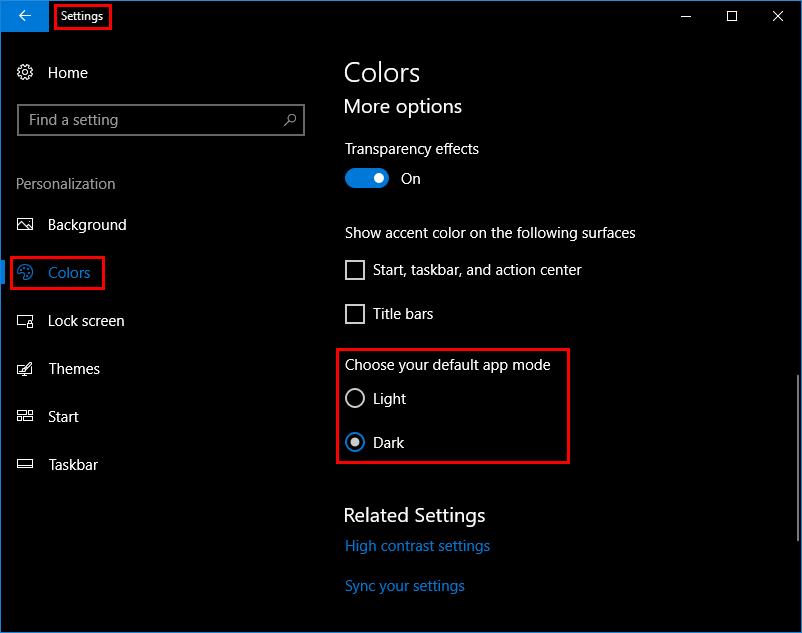
- Click on the Start Menu > Settings
- Choose Personalization > Colors
- Locate Choose your default app mode
- Light will be set as the default, select Dark
*See image below indicating steps listed above.
*Success! Your Windows OS should now be in Dark mode.